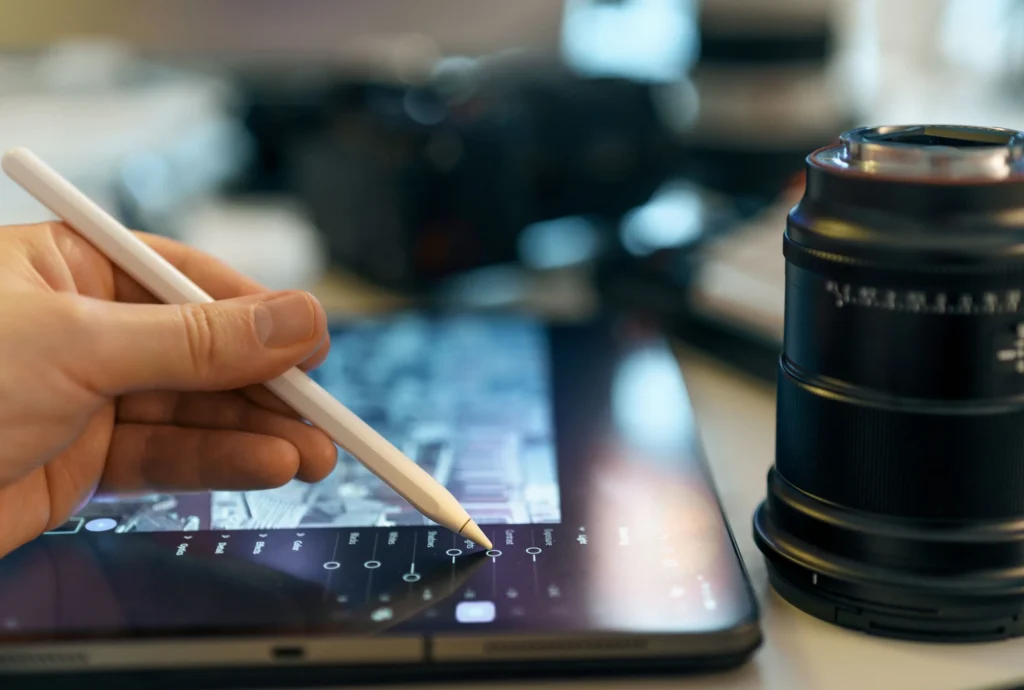
Let’s be honest. AI has flipped the whole image game on its head. Photography, graphic design, digital art, everyday photo edits. All of it. Stuff that used to take a bunch of manual steps? Now you just type what you want. In plain words. No fiddling with individual settings. No making masks. No digging through confusing menus forever. You just describe the change. And the AI figures out what you meant. Pretty wild, right?
And yeah, this shift brought a whole new wave of tech with it. Image generation and editing tools. Stuff tied to models like Nano Banana 2.5. Plus other multimodal image systems. Here’s the deal. They show how your written instructions can become part of editing itself.
What Is AI-Powered Image Editing?
Old-school editing? Super hands-on. Picture this. You’ve gotta select an object. Cut out its background. Tweak the colors. Fix the lighting. Then rebuild chunks of the image. Exhausting, honestly. AI-assisted editing just does it differently.
An AI image editor looks at the image you upload. It picks out the main visual stuff. Then it makes changes based on what you wrote. Easy. Say you want a new background. But you want the subject to look exactly the same. Same spot, too. Just ask.
Does that mean you can switch your brain off? Nope. Not even close. AI edits can throw in weird surprises. Random details. Wonky text. Proportions that got stretched. Or changes to stuff that was supposed to stay put. So checking the final image? Totally non-negotiable.
Understanding Nano Banana 2.5 and Related Image Models
You’ll hear “Nano Banana 2.5” a lot. Usually when people talk about Google’s image-generation tech. And the bigger world of prompt-based visual creation. But here’s the thing. Current info keeps Nano Banana 2.5 separate from later model names. So don’t just assume similar names mean similar powers. Check the exact model. And the exact service you’re using. Trust me, it saves confusion.
So why’s the tech behind all this such a big deal? Because modern image models handle both text and visual references. You can hand over a photo you already have. Then explain how the scene should change. The model tries to connect the dots. Between your original image and the change you asked for.
Poking around this space? The Nano Banana 2.5 GemPix tool fits right into the bigger group of prompt-based image creation and editing tech. GemPix, for example, talks about workflows that do two things. Generate images from text. And change existing images using plain-language instructions.
Natural-Language Instructions Make Editing More Accessible
Honestly? One of the coolest things here is using everyday language to edit. Your words basically become the controls.
With a traditional editor, you’ve gotta know your stuff. Layers, selections, masks. Brushes, filters, adjustment panels. The works. AI systems? They’ll just take an instruction like:
“Replace the background with a quiet outdoor cafe while keeping the person, clothing, and facial features unchanged.”
How good the result turns out depends partly on you, though. How clearly did you write it? A good prompt usually says what change you want. And it spells out which important stuff should stay the same.
Say you’re editing a product photo. It helps to be super specific. The product’s shape stays. Logo placement stays. Color and proportions, too. Only the background and lighting change. Got it?
Common Applications of AI Image Editing
AI image tech pops up in tons of industries. And all kinds of creative stuff.
Product Photography
Online retailers can play around with AI-assisted editing a lot. Different backgrounds. Different lighting. Different settings. Without shooting every single setup for real. Nice, right? But product accuracy still matters. Big time. Don’t let generated images make a product look like something it isn’t. No fake features. No wrong dimensions. No parts it doesn’t actually have. That’s where it gets shady.
Social Media Graphics
Content creators need images in all sorts of sizes and styles. Constantly. AI tools can help reshape one visual idea into loads of formats. Square posts. Vertical stories. Thumbnails, banners. Whatever else you need.
Portrait Editing
AI can switch up backgrounds and lighting. Clothing styles. The whole surrounding scene. All while trying to keep the person looking like themselves. Super handy for creative portraits and profile pics. But check facial details carefully, though. Seriously. Faces can get sneaky little changes.
Concept Development
Designers and artists can use generated images to test ideas early. Before sinking hours into a finished project. Got a rough idea for a product? An environment? A character, poster, or ad scene? You can see it fast. Then polish it up by hand later.
Writing Better Prompts
A strong prompt gives the system enough to work with. Without piling on extra confusion.
Here’s an easy way to do it. Start with the main subject. Then explain the change you want. After that, add the useful stuff. Lighting, composition, atmosphere. Style or perspective. And if something absolutely has to stay the same? Say it. Clearly.
For example, don’t just type “make this photo better.” Not much to work with, right? Try something more useful instead. Say the background should get swapped. The lighting should get softer. And the person’s face and pose shouldn’t change at all. Way better.
Focused instructions help you judge results, too. Ask for a bunch of unrelated changes at once? Then something goes wrong? Good luck figuring out which instruction caused it. Keep it tight.
Limitations and Responsible Use
AI image editing’s powerful, sure. But it’s not perfectly reliable. Let’s be real. Small stuff can trip it up. Hands, signs, logos. Product labels. Reflections. Fine patterns. These might need a second look. And text generated inside images? It can come out wrong, too.
There’s the ethical and legal side as well. Make sure you actually have the rights to photos you upload. And don’t create misleading stuff where accuracy counts. Images of real people? Products? News events? Professional claims? Those need an extra careful review. Don’t just trust it and move on.
So think of AI as a helper. Not some automatic replacement for your own judgment.
The Future of Visual Creation
Where’s all this heading? Visual editing’s gonna blend more and more. Generation, editing, and design, all in one workflow. You won’t always start with a blank canvas. You might start with a description. A photo. A sketch. Or a pile of references. Then you slowly steer the system toward what you want.
The smartest approach? Probably mixing automation with a human eye. AI can speed up your experiments a ton. And cut out the boring, repetitive stuff. But you’re still the one in charge. You decide if an image is accurate. If it’s appropriate. And if it actually fits what it’s meant for.