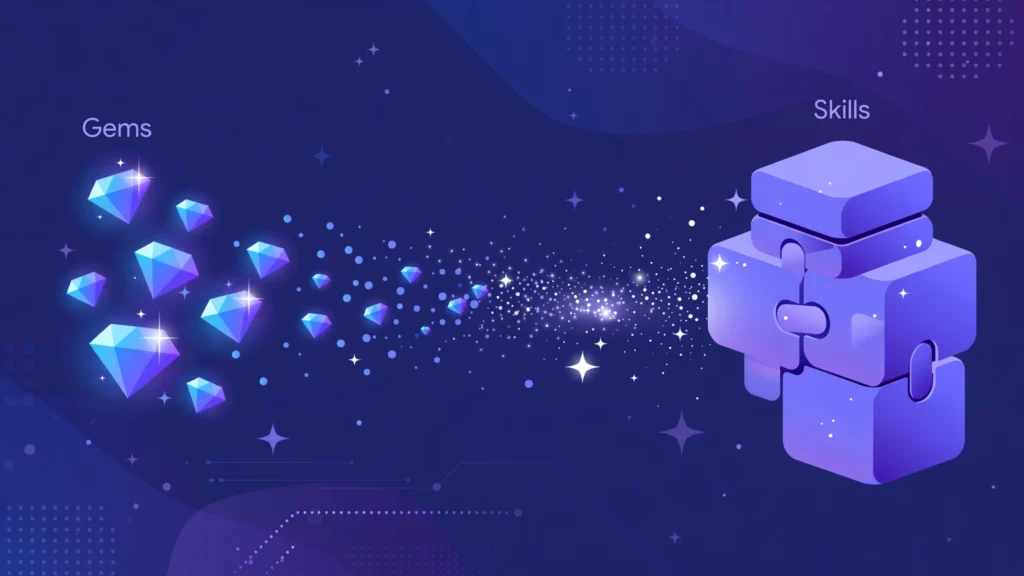
If you have ever built a custom assistant inside Google’s Gemini app — a coding partner, a running coach, a brand-voice editor — Google is about to move it for you, whether you ask or not. The company has announced that it is retiring Gemini Gems and replacing them with a new system called Skills. The timeline is already in motion: starting October 13, 2026, you will no longer be able to create or edit Gems, and on November 17, 2026, Google will begin automatically migrating your existing Gems into Skills.
The good news is that you don’t have to do anything for the migration to happen. The better news is that if any of your workflows depend on a Gem, a little preparation before the first deadline will save you from surprises. Here is the full picture: what Gems were, what Skills are, the exact timeline for every account type, and how to get your custom assistants ready.
What Were Gemini Gems?
Gems arrived in 2024 as Google’s answer to custom AI assistants. A Gem was a customized version of Gemini built on a set of standing instructions — and optionally some reference files — that you could save and reuse instead of retyping the same prompt every time.
Google shipped several premade Gems, including a learning coach, a brainstorming assistant, a career guide, a coding partner, and an editor. Users could also build their own for practically anything: a running coach, a nutritionist, a vacation planner. In March 2025, Google opened Gems to free users, and they have stayed free since.
The limitation was structural. Each Gem operated in isolation, in its own tab, as a reactive chat partner. You couldn’t combine two Gems, and you couldn’t pull one into an ongoing conversation. They were useful — but rigid.
What Are Skills?
Skills are Google’s replacement, and they take a fundamentally different approach. Instead of standalone personas, Skills are reusable blocks of guidance that Gemini can apply across conversations. They live inside what Google calls Gemini Spark, and because of that, they can be used for proactive automation — not just reactive chat.
In practice, the differences look like this:
- Invoke mid-conversation. You can call a Skill in the middle of a chat by typing a forward slash followed by its name. Google says this will switch to the `@` symbol soon.
- Stack multiple Skills. You can combine several Skills in one conversation — say, a writing-style Skill plus a brand-guidelines Skill — to build more complex workflows. Gems never supported this.
- Auto-detection. Gemini can detect when a Skill is relevant to your prompt and apply it on its own, without you invoking anything.
- One active at a time (for now). You can create an unlimited number of Skills, but only one can be switched on and used at a time. To use another, you disable the active one first — the disabled Skill isn’t deleted.
Google’s own framing is straightforward: “Later this year, we’re transitioning from Gems to skills to give you an even better, more flexible way to customize Gemini. Skills will let you do more, like using them right in your current chat without having to switch tabs.” If you want something lighter-weight than creating your own personal AI system, Skills are now the fastest way to get a customized Gemini.
A few capabilities are still catching up. Google says that in the coming weeks, Skills will gain the ability to be shared with others, plus the ability to attach files from Google Drive and notebooks from Gemini Notebook — things Gems already supported. So the feature set isn’t fully at parity yet, but the gap is closing.
The Migration Timeline
This is a staged transition, and the dates depend on your account type:
| Account type | October 13, 2026 | November 17, 2026 |
|---|---|---|
| Personal Google accounts | Can’t create or edit Gems anymore. Existing Gems keep working. | Google begins automatically migrating Gems to Skills. Gems remain usable until they migrate. |
| Workspace Business, Enterprise, Nonprofit | No change yet | No change yet — Gems support continues until no sooner than March 1, 2027 |
| Workspace Education | No change yet | Gems support continues until June 1, 2027 |
One casualty worth knowing about: Opal, Google’s experiment for building mini apps inside Gemini, is also shutting down in November alongside Gems for personal account users.
Teams running on Workspace should pay special attention. Flows built in Workspace Studio that use “Ask a Gem” steps will break when Gems are removed, and remaining Gems will convert automatically to draft Skills. If your team has production workflows on Gems, the March 2027 date is your real deadline — don’t wait until February.
What Happens to Your Gems — and Your Data
If you’re a personal-account user, the practical story is simple: keep using your Gems normally until November 17, at which point Google will migrate them to Skills automatically. The migration is meant to preserve your instructions, so nothing should be destroyed.
Two requirements are worth knowing before you lean on Skills:
- Keep Activity must be on. This is the Gemini setting that lets the app save your conversation history and use it to personalize your experience. With it off, Gemini runs in a more private mode — no memory between sessions — and it won’t remember which Skills you’ve created or when to suggest them. That’s a genuine privacy tradeoff to weigh, especially given how AI is already changing everyday life in 2026.
- Audit before October 13. After that date, you can’t edit a Gem, so document anything important now. Google’s own advice is blunt: “Save your Gem content or recreate them as skills to keep your workflows running.”
How to Prepare Before October 13
Here’s a practical checklist if you use Gems at all:
- Inventory your Gems. Open the Gems manager and write down every Gem’s name, its instructions, and any attached files. This takes ten minutes and is the single most useful step.
- Copy the instructions into a document. Treat each Gem like a recipe card: the system prompt is the recipe. If auto-migration mangles something, you’ll be glad you have the original.
- Recreate the critical ones as Skills now. If a Gem runs an important workflow, don’t leave it to the automatic migration — rebuild it as a Skill manually so you control the result.
- Note your shared Gems. Sharing is coming to Skills “in the coming weeks,” but it isn’t there yet. If you share a Gem with a team or audience, have a plan for the gap.
- Check Workspace Studio flows. Any “Ask a Gem” step will break. Rebuild those flows against Skills before the deadline for your account type.
- Decide on Keep Activity. If you want Skills to remember and auto-suggest themselves, turn it on. If you prefer private mode, know that Skills will be less useful to you.
How to Write a Skill That Actually Works
A Skill is only as good as its instructions, and the same prompt-crafting basics that make ChatGPT useful apply here. Treat your Skill’s instructions like a job description for a very literal employee:
- Role: “You are a senior Python code reviewer.”
- Audience and tone: “Explain things to an intermediate developer. Be direct, no flattery.”
- Format: “Return feedback as bullet points grouped by severity: critical, suggestions, style.”
- Examples: Show one good output and one bad output. Examples teach faster than adjectives.
- Boundaries: “Never rewrite my code — only review it. If you’re unsure about intent, ask before assuming.”
Keep instructions focused on one job. The whole point of Skills over Gems is that you can stack them — so write small, single-purpose Skills and combine them, instead of one giant instruction block that tries to do everything.
Why Google Is Doing This
Zoom out and the move makes sense. The industry is shifting from isolated chatbots to composable, always-on agents: OpenAI recently launched Dots, its always-on agentic avatar; Microsoft expanded Copilot with an “Autopilot” digital coworker that has its own identity and permissions; Meta is pushing AI assistants into custom hardware. Google’s old model — a separate persona per Gem, each in its own tab — didn’t fit that world. Skills as stackable, auto-invoked blocks do.
That’s not to say the transition is flawless. Google has a long, well-documented habit of giving every feature its own brand name, icon, and prominent placement — then shuffling it around two years later. (This predates the AI era; at one point the company ran multiple messaging apps simultaneously.) Gems lasted barely two years. The functional improvements here — in-chat invocation, stacking, auto-detection — are real, but the rebrand treadmill is worth noting for anyone deciding how much infrastructure to build on top of Skills.
The Honest Caveats
Before you celebrate, a few things to keep in mind:
- One active Skill at a time is a genuine limitation. Power users who juggled several Gems across tabs may find this cramped.
- The Keep Activity requirement means better Skills come at the cost of letting Google retain your Gemini activity. Decide consciously.
- Availability is rolling out. Google says anyone with a personal Google account can create Skills, but the feature is reaching users gradually — don’t panic if you don’t see it yet.
- Migration quality is unproven. Automatic conversion sounds painless, but converted Skills deserve a review. Run your most important ones through a test prompt after November 17 and tune the instructions.
- Free-tier questions linger. Gems were free; some early reporting suggested Skills might initially be tied to paid tiers during rollout. Watch how this settles.
What to Do This Week
October 13 is days away, so here’s the short version: open your Gems manager, screenshot or copy every Gem’s instructions, and rebuild your most important one or two as Skills. Turn on Keep Activity if you’re comfortable with it. Then let the automatic migration handle the rest on November 17 — and check the results before you trust them with anything important.
Google’s custom assistants aren’t disappearing; they’re being rebuilt as something more flexible. Whether Skills earn their keep depends on execution — but if you prepare now, the transition will be a quiet background event instead of a broken workflow.